Renewals for PY27
Prioritize your book, track progress.
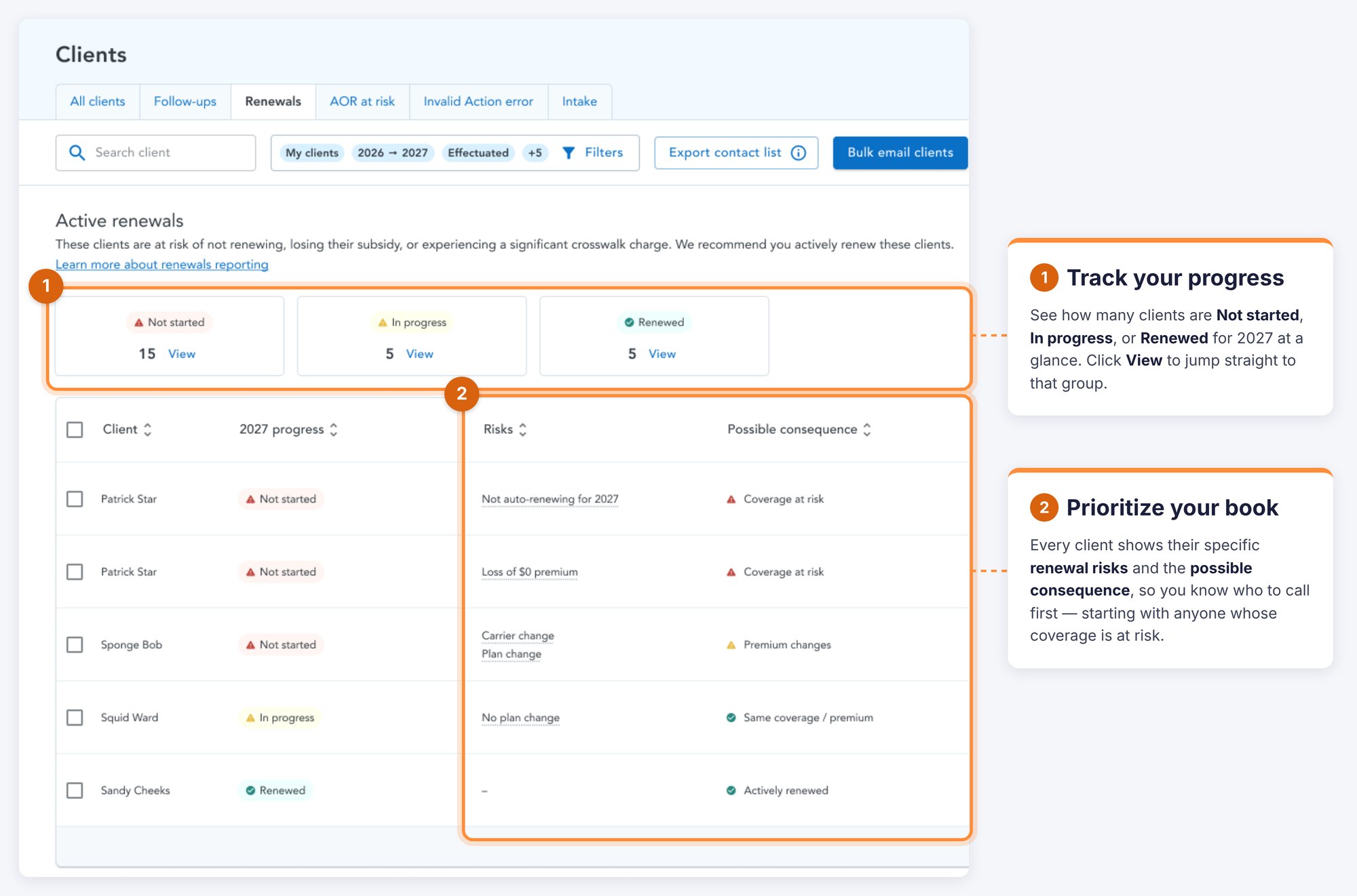
Renewal season is about more than getting consumers enrolled, it’s about knowing which clients need your attention and where each renewal stands. The Renewals tab gives you a clear view of your book, helps you prioritize consumers based on renewal risks and possible consequences, and lets you track progress from Not started -> In progress -> Renewed.

Your PY27 Renewals tab

Important Renewal risks for PY27
Immigration status
Consumers who will lose subsidy eligibility based off of their PY26 immigration status.
Carrier exit - updated for PY27
The carrier has announced they will be exiting the ACA Marketplace in the consumer’s state.
Renewal pathways
Watch our video covering the renewal flows in HealthSherpa and how they'll help you guide clients through plan comparisons and updates, so you can renew more quickly and confidently.
For detailed written instructions, visit our Renewal pathways help page.
TWO KINDS OF RENEWALS: ACTIVE & PASSIVE
Active Renewal
A consumer updates their Marketplace application during OEP and selects a new plan for the upcoming plan year.
With consent, agents may assist consumers with active renewals.
Passive Renewal
A consumer does not update their application and the FFM re-enrolls them into their current plan or the closest equivalent
Need a refresher? Check out the clip below to learn more.
Easy documentation management
Consent Library
Easily manage both forms of consent for all consumers in one central location.
Intake Form
Use our easy intake form so documents and information are ready when you are.
Bulk Email
Initiate a bulk renewal email from your Clients list, populated with a renewal kick off.
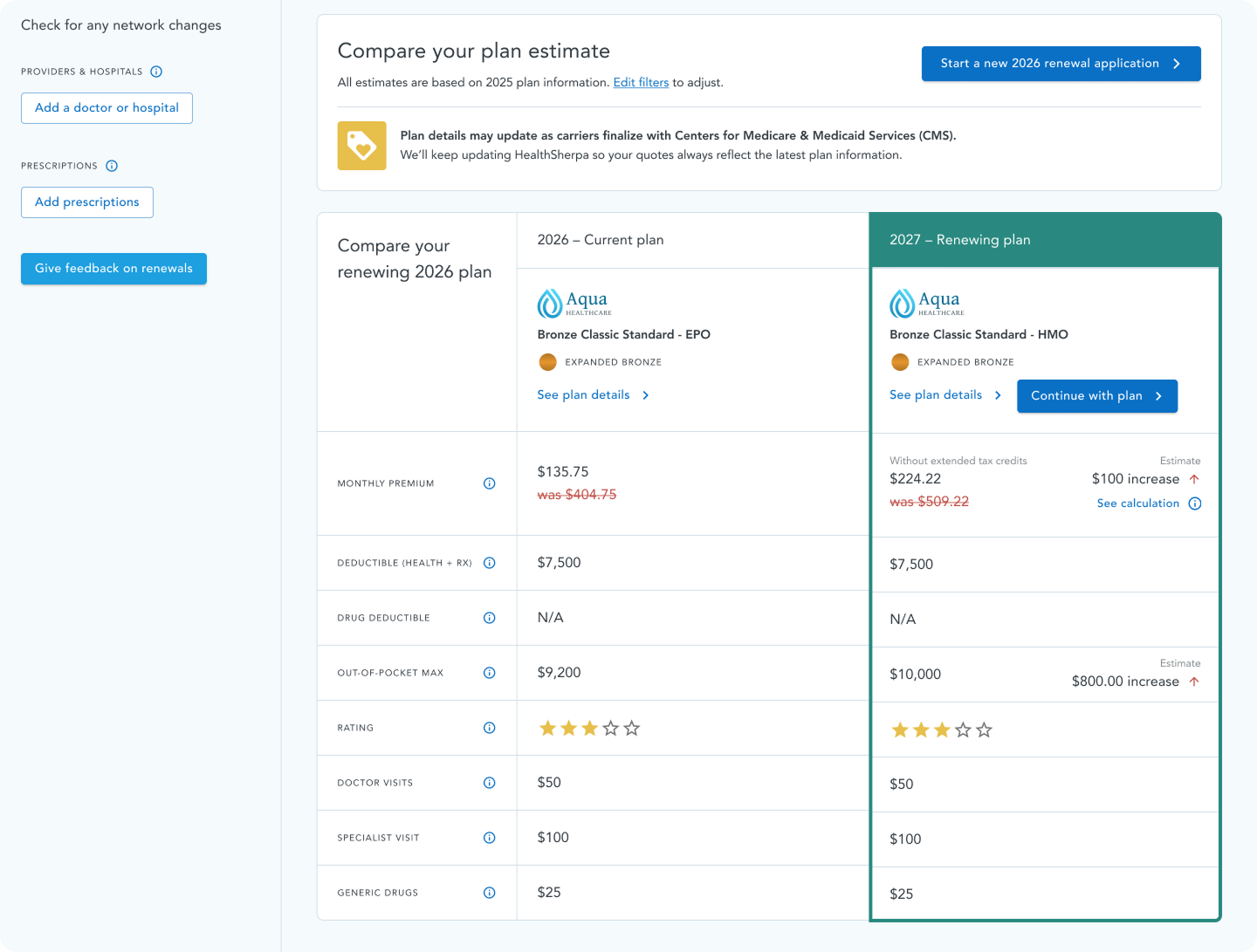
Side-by-side Plan Comparison
You’ll see your consumer’s current plan next to the crosswalk plan for 2027.
This gives you a head start to review changes, compare options, and help your client make a decision so they’re ready to enroll as soon as Open Enrollment begins. If the consumer's 2026 application is already in your book within HealthSherpa, you’ll be able to select a Renew button from several locations within HealthSherpa.
All Renewal buttons lead to the renewal plan comparison view.

Not on HealthSherpa?
Create a free agent account or request a demo for your agency!
.png)